> ## Documentation Index
> Fetch the complete documentation index at: https://wundergraphinc-brendan-cs-1141-standardize-frontmatter-fiel.mintlify.site/llms.txt
> Use this file to discover all available pages before exploring further.
# Schema Field Usage
> Evolve your schema by making decisions based on how every field is used by different clients and operations
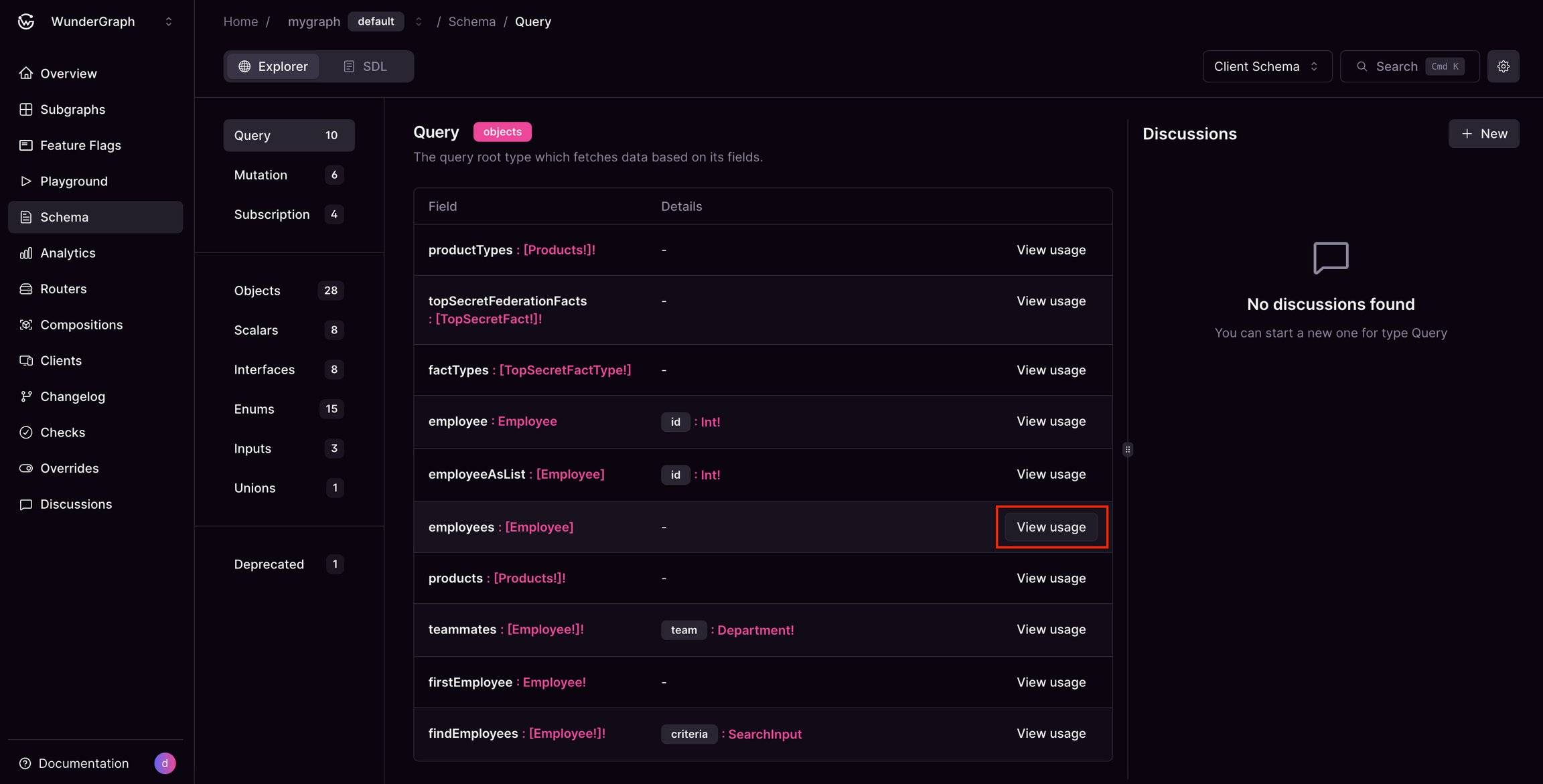
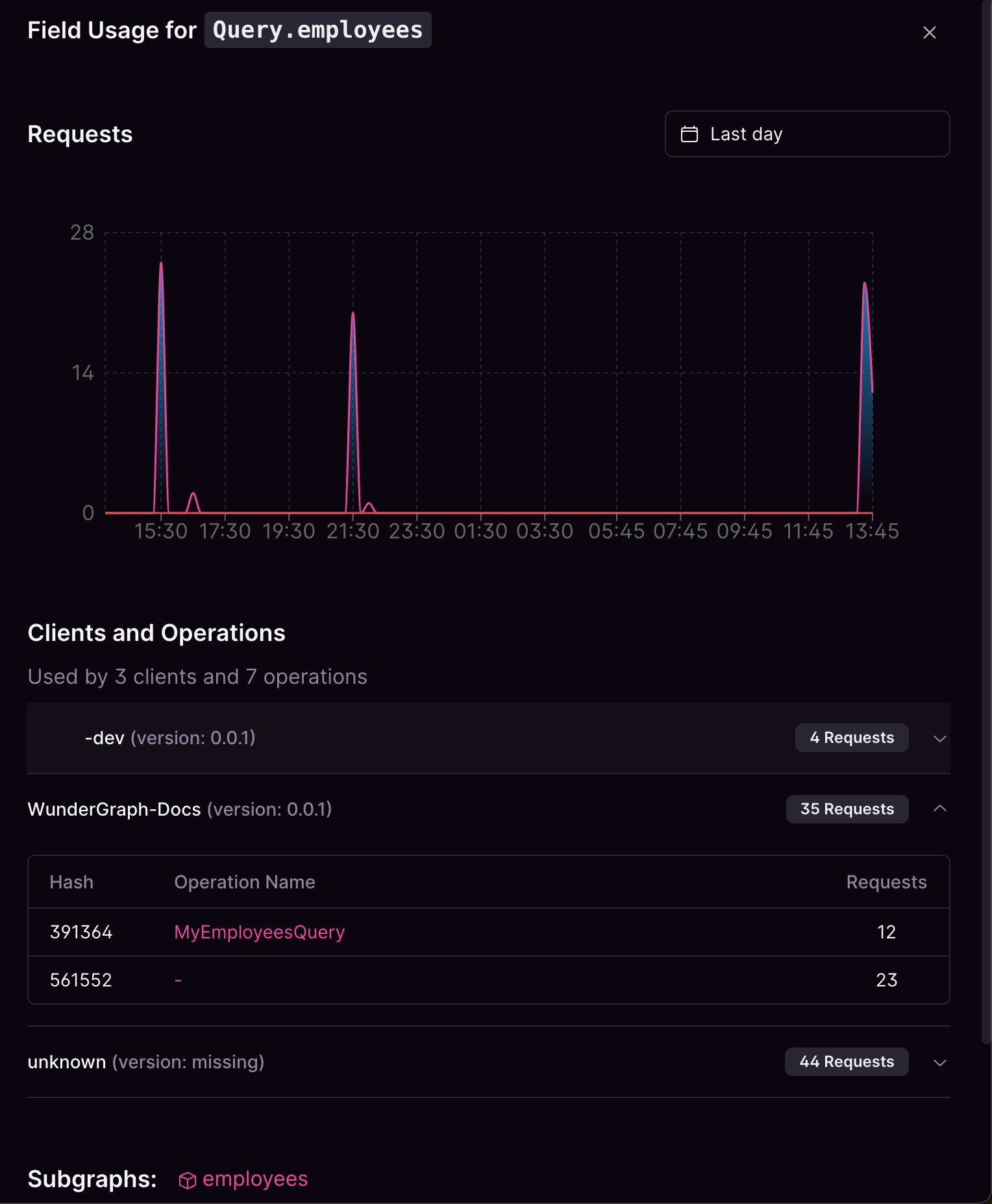 This usage tracking is accessible from the schema explorer and the schema check page. It is available for all GraphQL types. You get a breakdown of every client that uses it and which operations in each one of those clients as well along with the number of requests made by them.
You also get a list of subgraphs that requested that field. You can select date and time filters and check when was the first and last seen for that particular field.
This usage tracking is accessible from the schema explorer and the schema check page. It is available for all GraphQL types. You get a breakdown of every client that uses it and which operations in each one of those clients as well along with the number of requests made by them.
You also get a list of subgraphs that requested that field. You can select date and time filters and check when was the first and last seen for that particular field.